Step 1 Complete Your Digital Authorization
The first step is to provide consent and authorization. eTaxTranscript offers an electronic option to sign Form 8821.
eTaxTranscript is a private paid service by Zenwork, Inc. We are not affiliated with, endorsed by, or operated by the IRS or any government agency.
Access previously filed tax return information. eTaxTranscript helps you request your IRS Tax Return Transcript online to use it for a mortgage application, a prior-year review, or a client request you're authorized to make.
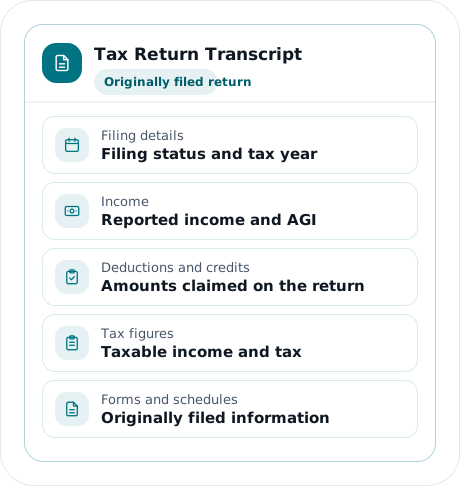
An IRS Tax Return Transcript shows all the line items from a Form 1040-series return. The transcript provides information from forms and schedules that were filed with the return. You can use this transcript to review the information you reported for a specific tax year.
| Information | What you'll see |
|---|---|
Filing details
|
The filing status and other details tied to the original return |
Income
|
The income amounts reported, plus the adjusted gross income (AGI) |
Deductions and credits
|
The deduction and credit amounts claimed on the return |
Tax figures
|
The taxable income and the tax amounts from the original filing |
Forms and schedules
|
Details from the forms and schedules accompanying the return |
A Tax Return Transcript shows your return as it was originally filed. It doesn’t include any changes that you or the IRS may have made later.
Personal information, such as name, addresses, and Social Security Number (SSN), is shown on the Transcript, but is partially masked for privacy. Financial information remains visible.
The first step is to provide consent and authorization. eTaxTranscript offers an electronic option to sign Form 8821.
You can submit a Form 4506-T transcript request through eTaxTranscript and see the status of the request.
If the request is approved, you can securely access the transcript and download a copy.
Delivery time for the transcript depends on how complete your authorization is, how long the IRS takes to process the request, and if the record is available.
Helps lenders verify income and tax information during mortgage or loan reviews. Whether you need one depends on the lender's documentation requirements.
Useful for when you need to review tax history, income, deductions, or check other tax figures that were previously reported.
Helps CPA and tax professionals review tax history and better understand a client’s tax situation.
Gather the following information before requesting your Tax Return Transcript:
If the details do not match IRS records, they may delay or prevent your request. Use the information from the relevant tax return and follow the instructions for any current or previous address details.
Requests for lenders and other organizations may vary. Always confirm the required documents before starting the process.
Individual Tax Return Transcripts are available for the current and the last three years. The availability depends on when the IRS processes the records. A transcript for the 2026 tax year will become available only after the IRS processes the return during the 2027 filing season.
eTaxTranscript brings tax transcript retrieval authorization, request tracking, and secure downloads into one single workflow.
eTaxTranscript walks you through each step of the digital authorization process
Know the status of your requests as they happen. Check if your request is still pending or ready to view/download.
Securely view and/or download transcripts when you need to review them.
Handle authorized transcript requests for multiple clients in one workflow.
Yes. With eTaxTranscript, you can pick the transcript type and tax year, complete the authorization, and track your request.
The time it takes to receive a transcript depends on a few things. Your request details need to be accurate, and your authorization has to be complete. The IRS also has to process the request, and the record has to be available. Requesting online doesn't mean instant delivery, but you can track the status of the transcript using eTaxTranscript.
Yes, but the transcript may not appear until the IRS processes your return. The IRS will provide a transcript only if the return has been processed. If you’ve recently filed, allow time for the IRS to process the record before starting a tax return retrieval process.
No. A Tax Return Transcript reflects only your original return, so any amendments and later changes made after filing do not appear. If you need original return details alongside later account adjustments, a Record of Account Transcript may suit you better.
No. A Tax Return Transcript summarizes your return information, while a copy of your tax return reproduces the document you filed.
Yes, once you give the required consent and authorization, a CPA can request your Tax Return Transcript for you. Preparing your return doesn't, on its own, give your CPA access to your IRS records.
Yes. The IRS provides tax transcripts for free. eTaxTranscript is a private service with free and paid options that offer guided authorization, request tracking, and secure transcript access.
Get started with the tax year you need. Complete your authorization online and track your request through eTaxTranscript.